RevenueCat v8
Singleton RevenueCatService class with 4-step package resolution, fallback purchases, real-time listener, and readiness diagnostics.

Technical Documentation
A feature-rich AI-powered recipe app with multi-platform video extraction, hands-free cooking mode, Dynamic Island integration, real-time social features, and a hardened RevenueCat subscription pipeline with 3-layer entitlement verification.
01 Scene
EITO is a production-ready React Native recipe app that extracts recipes from
YouTube, TikTok, Instagram, websites, and physical cookbooks using Gemini AI.
It features hands-free cooking mode with iOS Dynamic Island, real-time social messaging,
and a metered freemium model monetized through RevenueCat. On every purchase or restore,
is_premium and premium_expires_at are synced into the Firebase
user profile for fast feature-gating, while RevenueCat remains the single source of truth
for billing and entitlement lifecycle.
Singleton RevenueCatService class with 4-step package resolution, fallback purchases, real-time listener, and readiness diagnostics.
RevenueCat → Firebase → Zustand. Every launch reconciles premium status bidirectionally. A useUsageGate hook double-checks RC before blocking any user.
Multi-layer entitlement check: configured IDs → any active entitlement → active subscriptions. No paying customer is ever wrongly gated.
02 Scene
React Native + TypeScript
File-based routing via Expo Router. Reanimated 3 for animations, Gesture Handler for swipe interactions.
Zustand (10 Stores)
Persisted slices for auth, usage, recipes, cooking, shopping, meal planning, messaging, cookbooks, preferences, and pro showcase.
Firebase (Auth, Firestore, Storage)
User profiles, recipes, usage counters, real-time messaging, social graph, and media storage.
RevenueCat v8
Singleton service with hardened purchase pipeline, 4-step package resolution, real-time subscription listener, and trial eligibility checks.
Google Gemini (Vision + Text)
Multi-modal recipe extraction from video transcripts, frames, descriptions, websites, and cookbook page images. AI chef chat for cooking guidance.
iOS Dynamic Island (Swift)
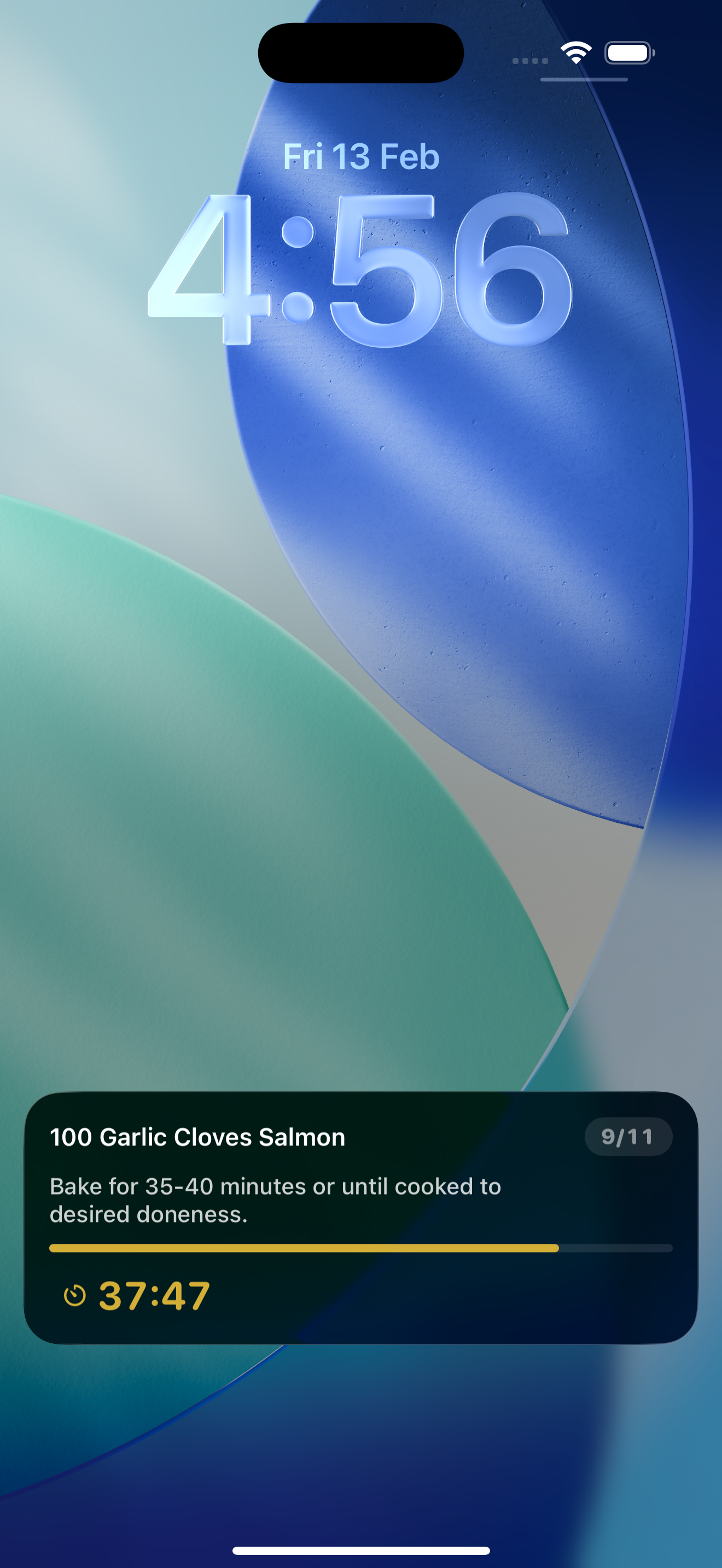
Native SwiftUI widget showing cooking step progress, active timers, and deep-link tap-to-resume from lock screen.
Firestore Subscriptions
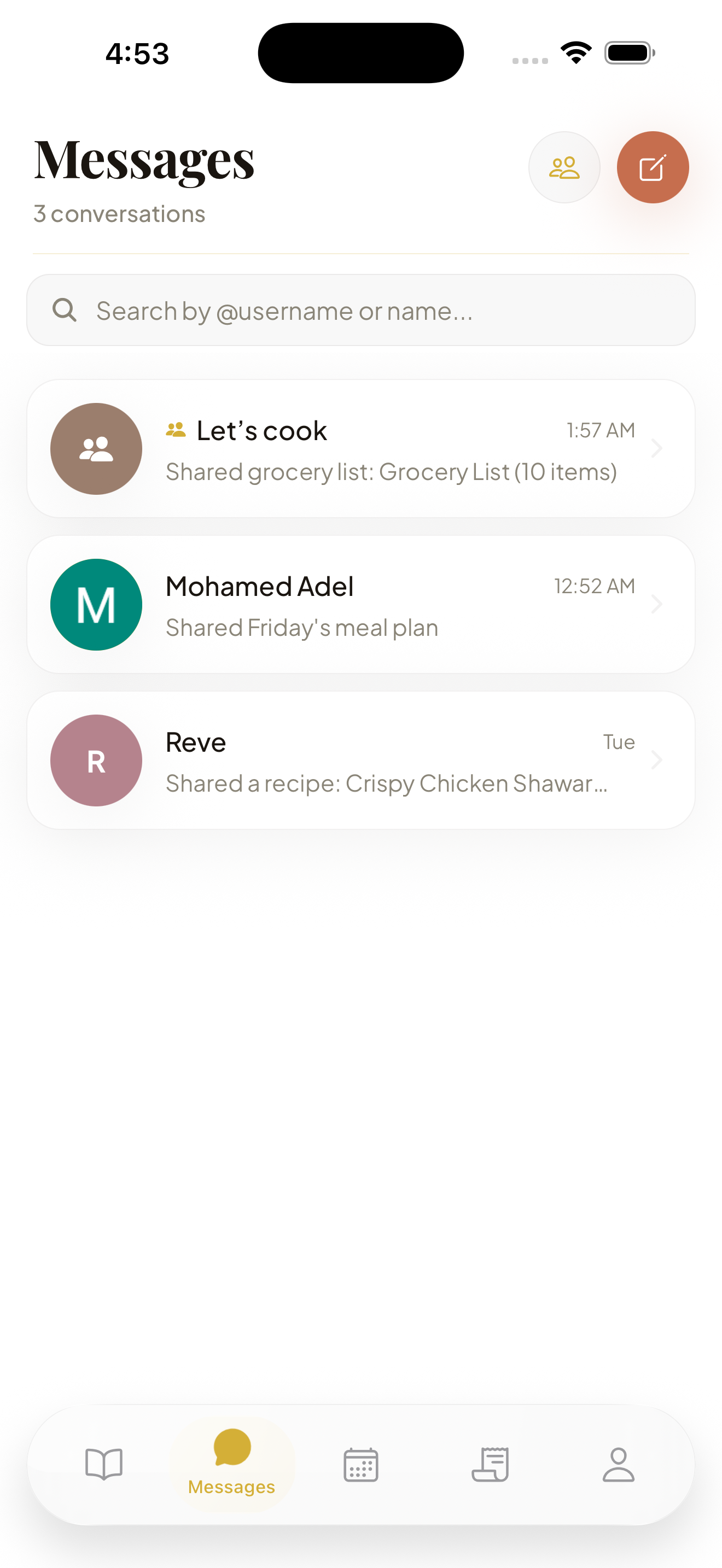
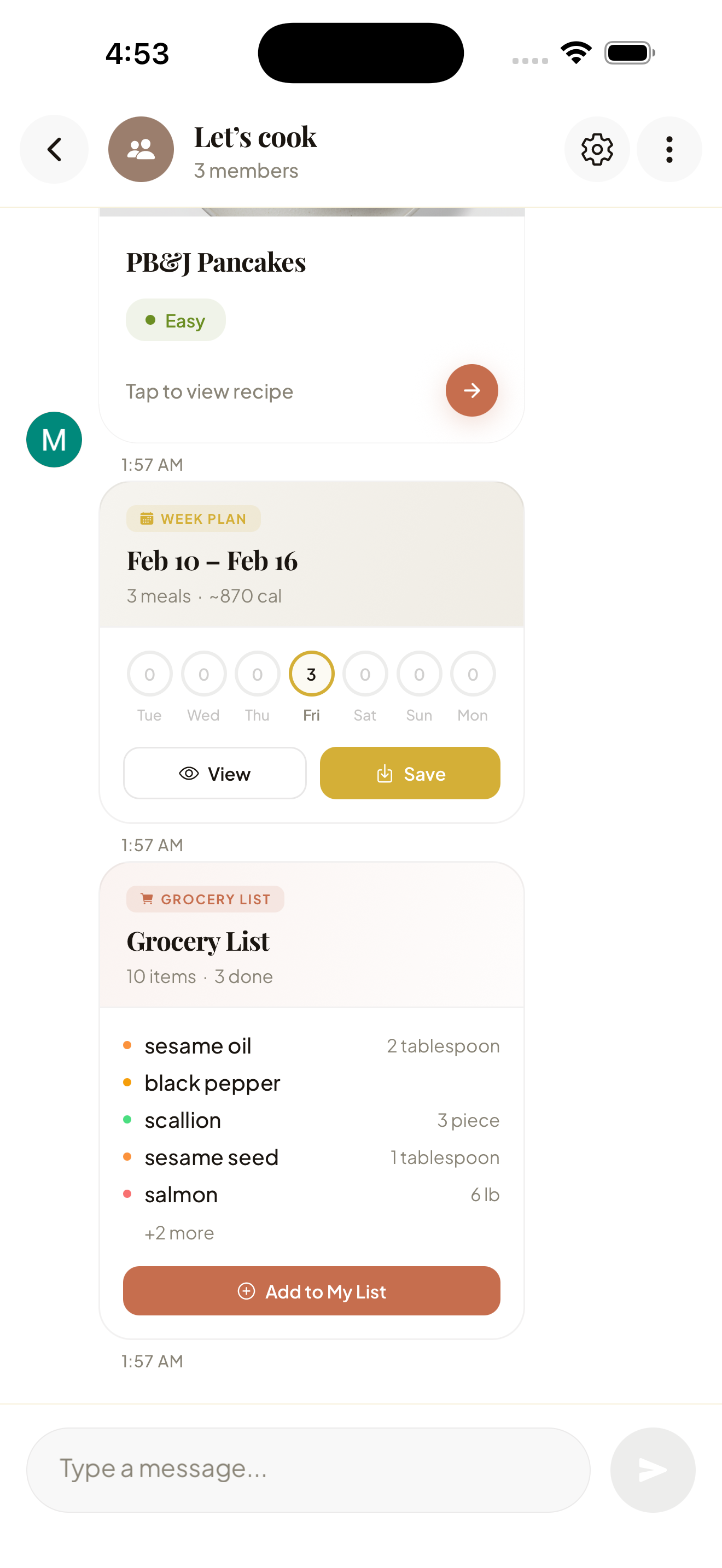
1-on-1 and group messaging with recipe/meal-plan/shopping-list sharing, unread badges, and conversation muting.
Expo Notifications + Channels
Push notifications for messages, scheduled timer alerts with vibration patterns, and Android notification channels.
Xcode / TestFlight
Native iOS builds with Live Activity extension, shipped and tested via TestFlight.
03 Scene
10 Zustand stores, paywall, useUsageGate hook, 15+ service modules.
Auth identities, user profiles, usage limits, recipes, real-time messaging, and social data.
Offerings, purchases, restores, entitlement lifecycle, real-time subscription events.
App launch → revenueCatService.login(userId) → bidirectional premium reconciliation (RC ↔ Firebase) → usageStore.syncFromFirebase() → addPremiumStatusListener() for real-time subscription changes.
Premium status is verified at three independent layers, ensuring no paying customer is ever wrongly gated:
user.is_premium in auth store — instant, used for UI renderingfirebaseService.checkUsageLimits() — authoritative for usage meteringrevenueCatService.isPremium() — real subscription state from App StoreOn every app launch in _layout.tsx, premium status is reconciled bidirectionally:
is_premium: true + premium_expires_atis_premium: false, clear expiration03b Scene
The project follows a modular architecture with clear separation of concerns.
RecipeApp/
├── app/                          # Expo Router file-based routing
│   ├── _layout.tsx               # Root layout, auth guard, RC listener
│   ├── index.tsx                 # Entry redirect
│   ├── welcome.tsx               # Welcome / sign-in screen
│   ├── onboarding.tsx            # Onboarding flow
│   ├── paywall.tsx               # RevenueCat paywall
│   ├── subscription.tsx          # Subscription management
│   ├── (tabs)/                   # Bottom tab navigator
│   │   ├── _layout.tsx           # Tab bar config
│   │   ├── index.tsx             # Home (recipe feed)
│   │   ├── messages.tsx          # Messaging hub
│   │   ├── planner.tsx           # Meal planner
│   │   ├── shopping.tsx          # Shopping lists
│   │   └── profile.tsx           # User profile
│   ├── cooking/[id].tsx          # Hands-free cooking mode
│   ├── recipe/[id].tsx           # Recipe detail
│   ├── ai-chef-chat.tsx          # AI chef assistant
│   ├── fridge-scan.tsx           # Camera fridge scan
│   ├── fridge-review.tsx         # AI detection review
│   ├── cookbook-scan.tsx          # Cookbook page scanner
│   ├── cookbook-review.tsx        # Cookbook extraction review
│   ├── chat/                     # Chat screens (1-on-1, group)
│   ├── auth/                     # Auth screens (login, register)
│   └── ...                       # 40+ screens total
│
├── stores/                       # Zustand state management (10 stores)
│   ├── authStore.ts              # Auth state, premium status, profile
│   ├── recipeStore.ts            # Recipe CRUD, favorites, search
│   ├── cookingStore.ts           # Active cooking session state
│   ├── shoppingStore.ts          # Shopping lists & items
│   ├── mealPlanStore.ts          # Weekly meal plans
│   ├── messagingStore.ts         # Conversations, messages, unread
│   ├── usageStore.ts             # Free-tier usage limits & gates
│   ├── cookbookStore.ts          # Cookbook collections
│   ├── preferencesStore.ts       # App preferences & settings
│   └── proShowcaseStore.ts       # Premium celebration flow
│
├── services/                     # Business logic & API layer (15 services)
│   ├── revenueCat.service.ts     # Singleton RC class, purchases, sync
│   ├── firebase.service.ts       # Firestore CRUD, auth, storage
│   ├── ai.service.ts             # Gemini AI extraction & chat
│   ├── messaging.service.ts      # Real-time chat & group messaging
│   ├── social.service.ts         # Social graph, follows, blocks
│   ├── youtube.service.ts        # YouTube transcript extraction
│   ├── tiktok.service.ts         # TikTok video extraction
│   ├── instagram.service.ts      # Instagram post extraction
│   ├── liveActivity.ts           # iOS Dynamic Island bridge
│   ├── notifications.service.ts  # Push & local notifications
│   ├── pantry.service.ts         # Fridge scan AI processing
│   ├── user.service.ts           # User profiles & search
│   ├── mealPlanWidget.service.ts # Home Screen widget sync
│   └── savedRecipesWidget.service.ts
│
├── components/                   # Reusable UI components
│   ├── ui/                       # Shared UI (EmptyState, Loading, UsageLimitSheet)
│   ├── recipe/                   # RecipeCard, IngredientList, StepList
│   ├── cooking/                  # CookingProgress, CookingTimer
│   ├── shopping/                 # AddItemModal
│   ├── messaging/                # RecipeMessageCard
│   ├── planner/                  # Meal planner components
│   ├── navigation/               # Tab bar, headers
│   └── layout/                   # Layout wrappers
│
├── hooks/                        # Custom React hooks
│   ├── useUsageGate.ts           # 3-layer premium check before gating
│   ├── useVoiceRecognition.ts    # Speech-to-text for cooking mode
│   ├── useTimer.ts               # Cooking step timers
│   └── useScreenLayout.ts        # Responsive layout helpers
│
├── constants/                    # App-wide constants
│   ├── Theme.ts                  # Colors, typography, spacing
│   └── layout.ts                 # Layout breakpoints
│
├── utils/                        # Utility functions
│   ├── types.ts                  # TypeScript interfaces & types
│   ├── ingredientImages.ts       # AI ingredient image mapping
│   ├── imageCache.ts             # Image caching layer
│   └── speechRecognition.ts      # Voice command processing
│
├── plugins/                      # Expo config plugins
│   ├── withLiveActivities.js     # Live Activity Xcode extension
│   └── live-activity-sources/    # SwiftUI widget source files
│
├── ios/                          # Native iOS (Xcode project)
│   ├── LiveActivity/             # Dynamic Island SwiftUI widget
│   └── RecipeApp.xcodeproj/      # Xcode build config
│
├── functions/                    # Firebase Cloud Functions
├── assets/                       # Images, fonts, animations
├── app.json                      # Expo config
├── eas.json                      # EAS Build profiles
├── tsconfig.json                 # TypeScript config
└── firebase.json                 # Firebase project config
04 Scene
Every product ID and API key is read from environment variables at build time. No hardcoded IDs anywhere in the codebase:
EXPO_PUBLIC_REVENUECAT_APPLE_KEYEXPO_PUBLIC_REVENUECAT_IOS_MONTHLY_PRODUCT_IDEXPO_PUBLIC_REVENUECAT_IOS_YEARLY_PRODUCT_IDEXPO_PUBLIC_REVENUECAT_ENTITLEMENT_IDS (comma-separated, e.g. pro,premium,EITO Pro)getCurrentProductIds() selects iOS or Android IDs based on Platform.OS at runtime.
resolvePackageForPlan(offering, plan) walks through four fallback layers to always find a matching package:
packageType (MONTHLY / ANNUAL)$rc_monthly / $rc_annual)/month/i, /(year|annual)/i)This same resolver is reused in both pricing display and purchase execution.
From handlePurchase() in the paywall:
revenueCatService.login(userId) — identify the userpurchasePackage(pkg) from cached offeringgetFallbackProductForPlan() → Purchases.getProducts(ids, SUBSCRIPTION)purchaseStoreProduct(product)getPurchaseReadiness(plan) and show a stage-specific errorOn successful purchase or restore, unlockPremiumAccess() runs:
getExpirationDate(customerInfo) — 4-level date resolution (configured entitlements → any active entitlement → active subscriptions → latestExpirationDate)is_premium: true + premium_expires_at to Firebase profileproShowcase celebration flowusageStore from Firebase to lift feature limits immediatelycheckPremiumStatus(customerInfo) uses a 3-layer entitlement check to never false-negative:
customerInfo.entitlements.activeactiveSubscriptions or subscriptionsByProductIdentifierFallback resolutions are logged with ACTIVE_ENTITLEMENT_FALLBACK or ACTIVE_SUBSCRIPTION_FALLBACK for debugging.
getPurchaseReadiness(plan) returns typed issues so the paywall shows the exact problem instead of a generic error:
MISSING_API_KEY → "RevenueCat API key is missing in this build"NO_CURRENT_OFFERING → "No active offering was returned"NO_MATCHING_PACKAGE → "No matching monthly/yearly package found"NO_STORE_PRODUCTS → "Product IDs not returned by App Store Connect"The useUsageGate hook is the last line of defense before blocking any free-tier user. When usage is exhausted:
user.is_premium — fast path for known premium usersisPremium()UsageLimitSheet with usage detailsThis catches edge cases like cold starts, share extensions, or RC sync delays — no paying customer is ever wrongly gated.
addPremiumStatusListener() registers a customerInfoUpdated callback in the root layout that fires on every subscription state change:
hasPremiumEntitlement(customerInfo) on every eventis_premium + premium_expires_at in FirebaseListener is cleaned up on sign-out via removePremiumStatusListener() + logout().
syncAttributesAndOfferingsIfNeeded(), then retry up to 2 times with incremental delay.Purchases.setLogHandler() downgrades offerings config errors, purchase cancellations, and network errors to console.warn instead of console.error.revenueCatService.removePremiumStatusListener() and logout() are called before clearing all 10 stores.checkTrialEligibility() defaults to true on error — optimistic, never blocks a potential subscriber.05 Scene
The features that make EITO a production-quality app worth monetizing.
Powered by Google Gemini (vision + text), EITO extracts structured recipes from 7 different sources using a 3-tier fallback strategy:
Every extraction produces structured JSON: title, ingredients (categorized), steps (with timings & pro tips), and nutrition estimates (calories, protein, carbs, fat).
A native SwiftUI widget built as an Xcode extension that surfaces cooking progress on the iOS lock screen and Dynamic Island:
recipeapp://cooking/:id?laAction=next&laStep=3Implemented with custom SwiftUI styling (gold progress bars, charcoal text) matching the app's luxury aesthetic.
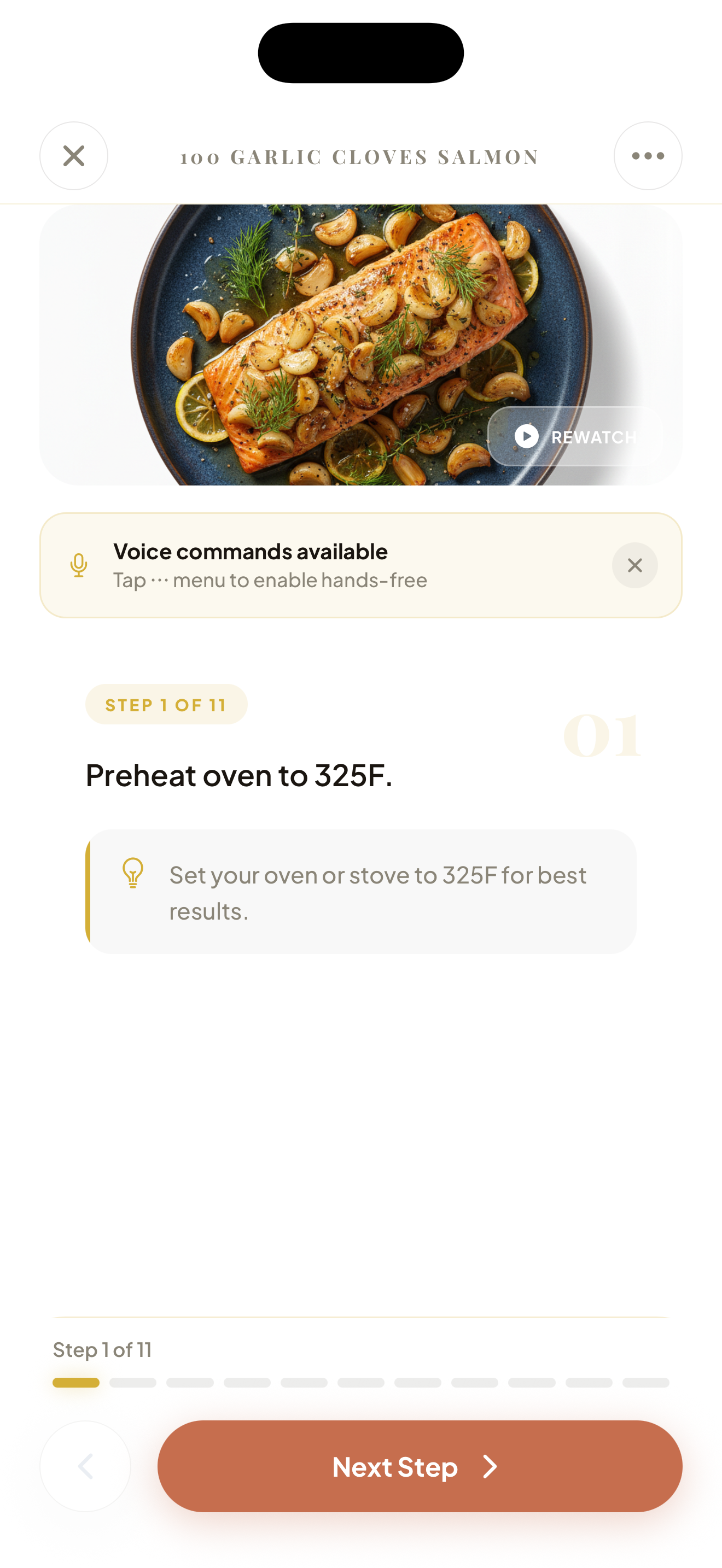
A full-screen immersive cooking experience in cooking/[id].tsx:
A complete social layer built on Firestore real-time subscriptions:
Free-tier users get weekly usage limits enforced through Firebase with RevenueCat as the premium unlock:
Premium users get unlimited access to all features. Usage counters use optimistic updates with rollback, double-tap prevention locks, and weekly auto-reset.
The useUsageGate hook checks local → Firebase → RevenueCat before ever blocking a user, ensuring zero false negatives.
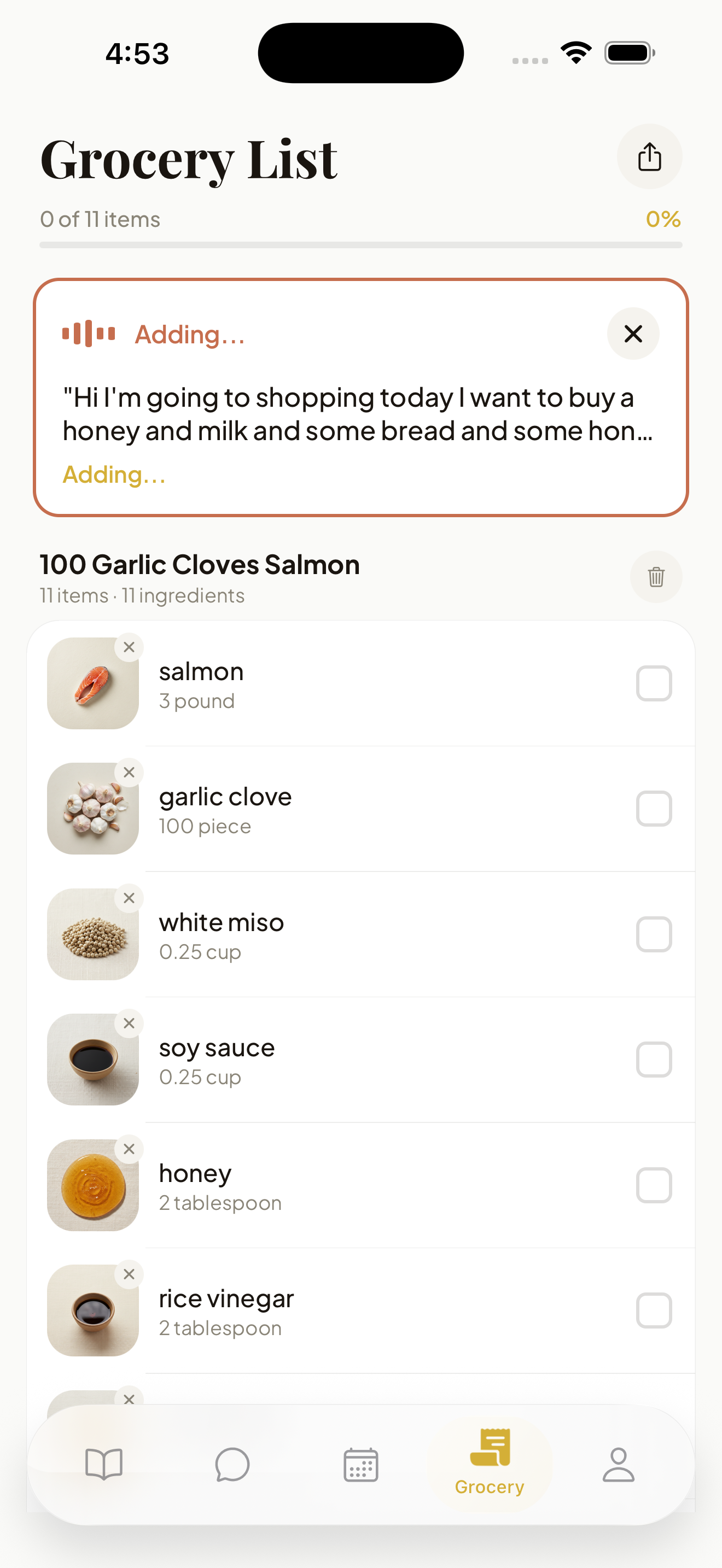
Full weekly meal planning and shopping list management:
06 Scene
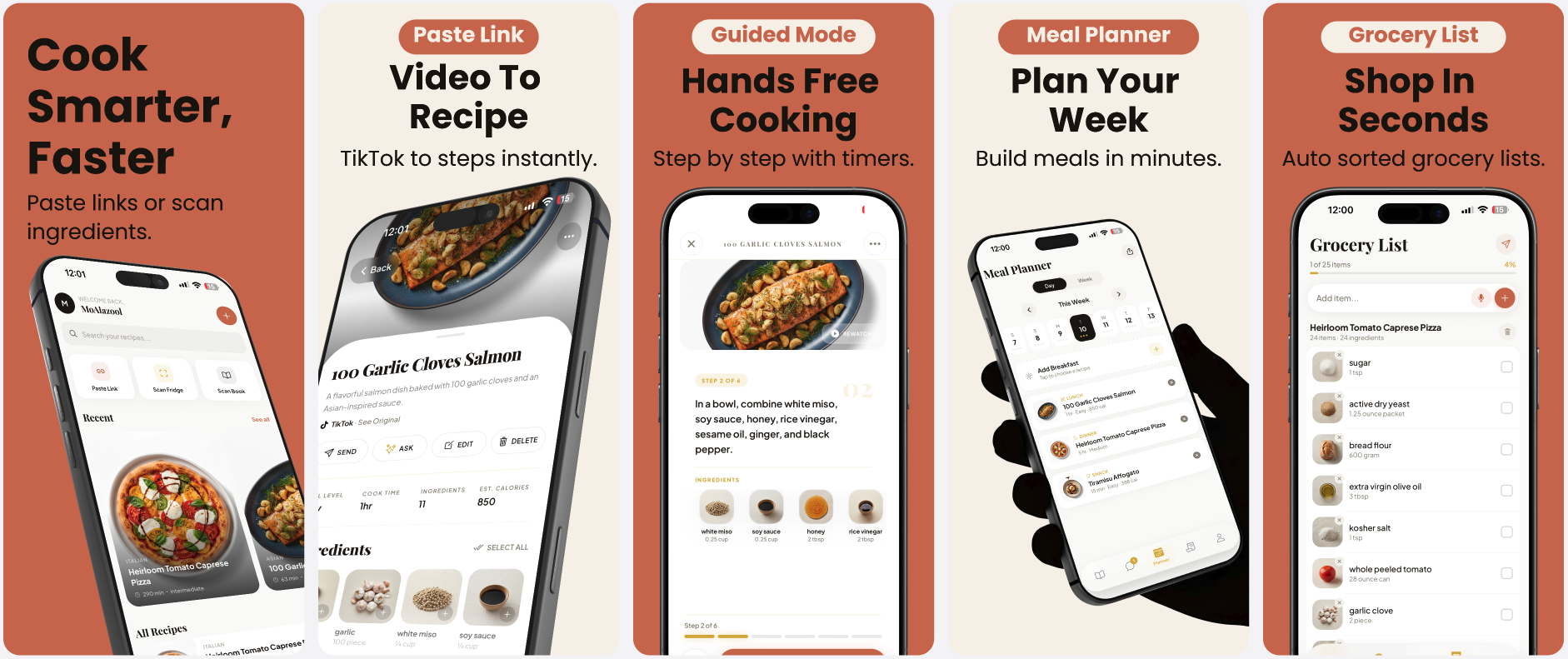
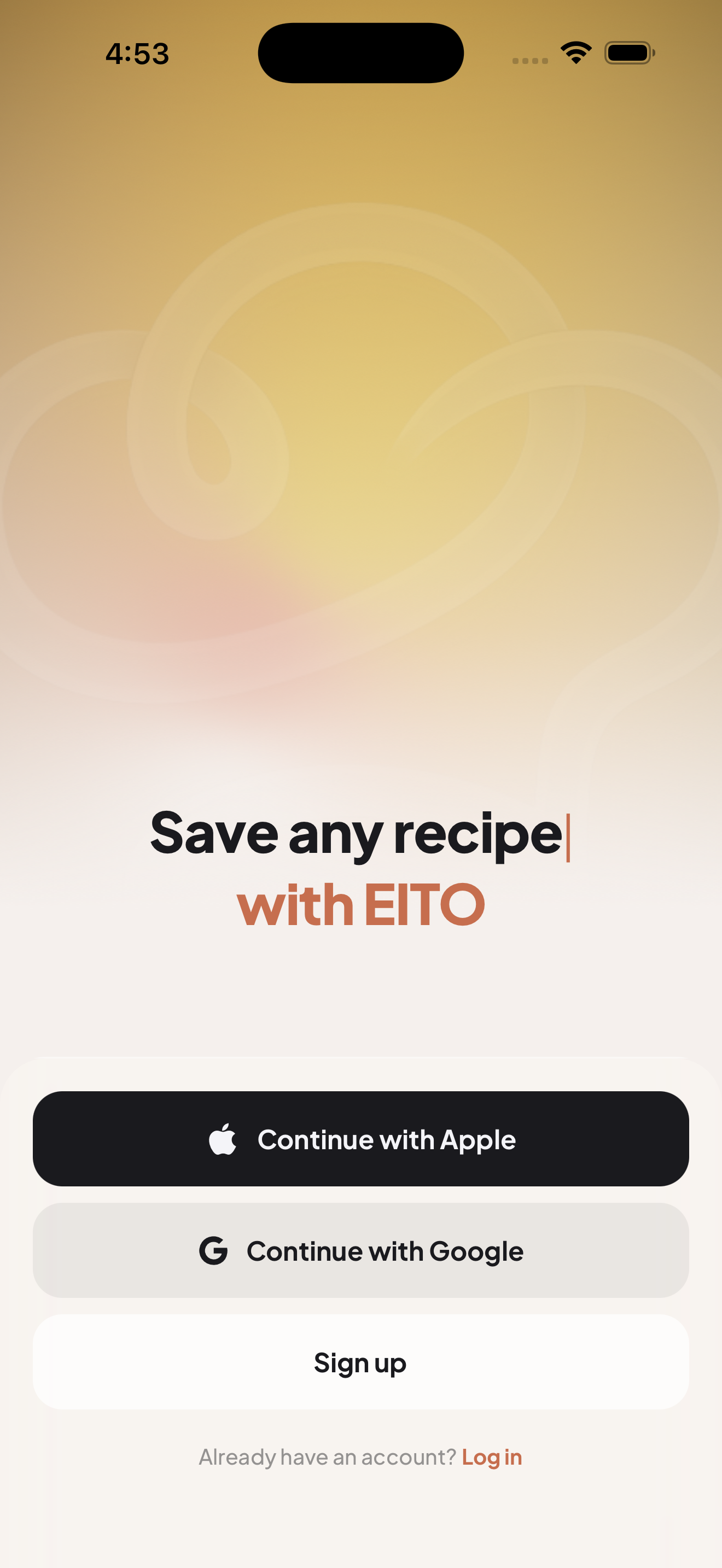
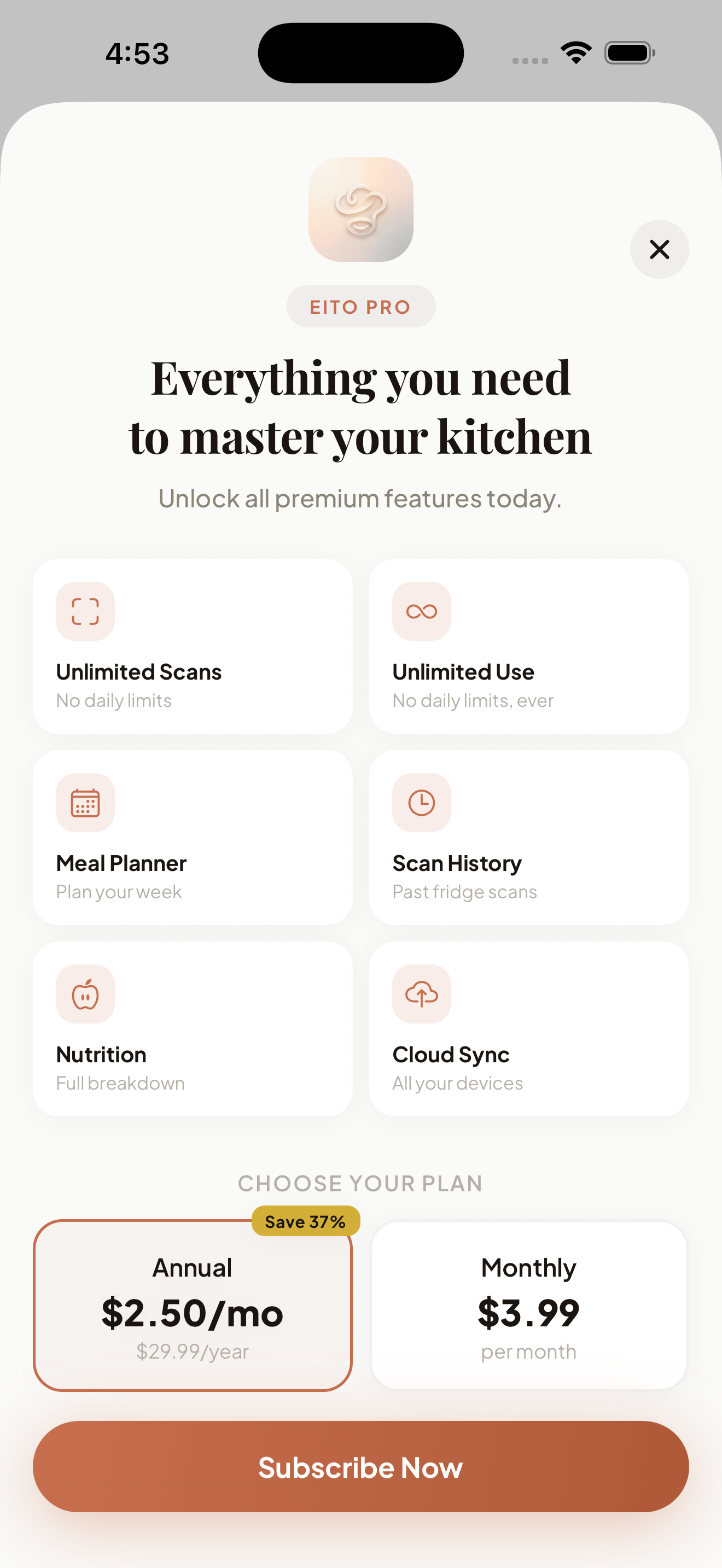
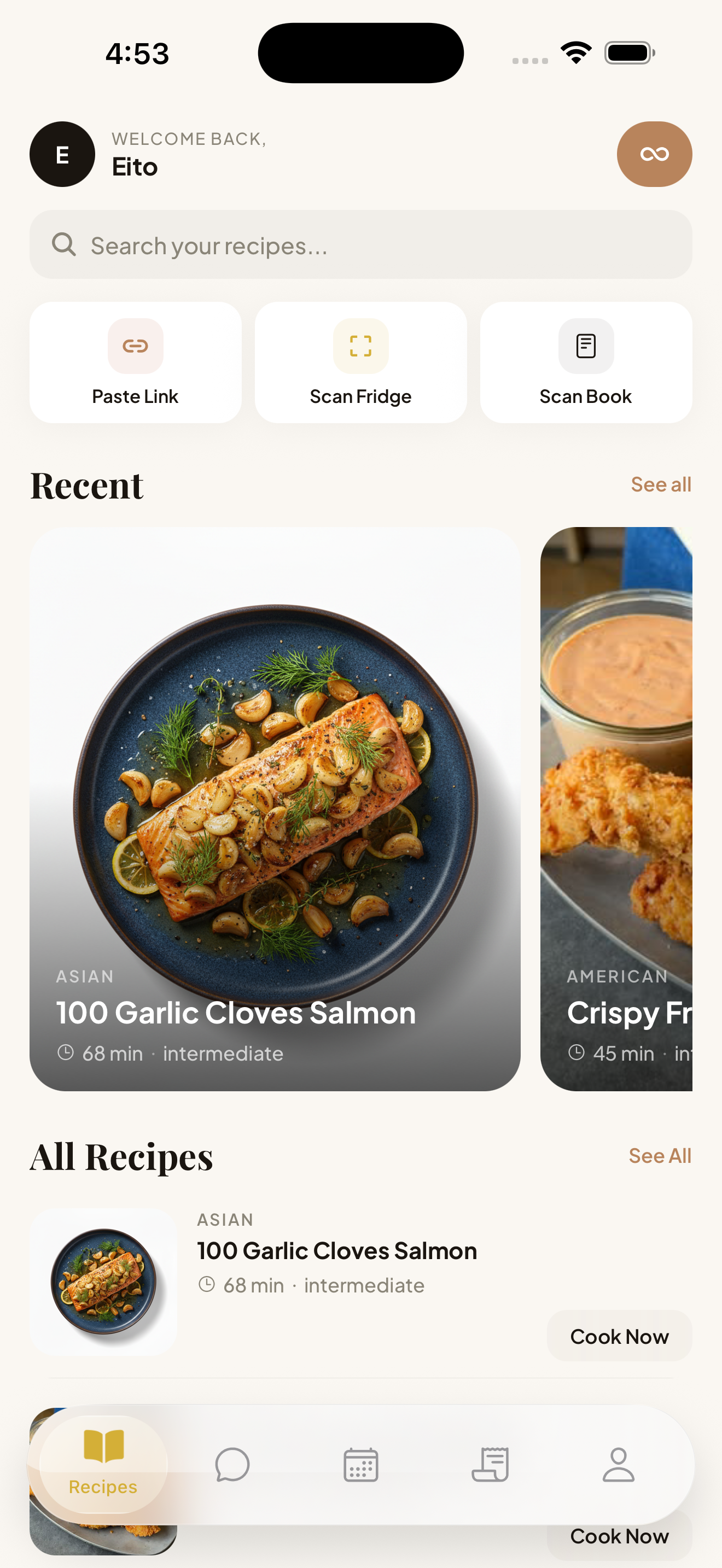
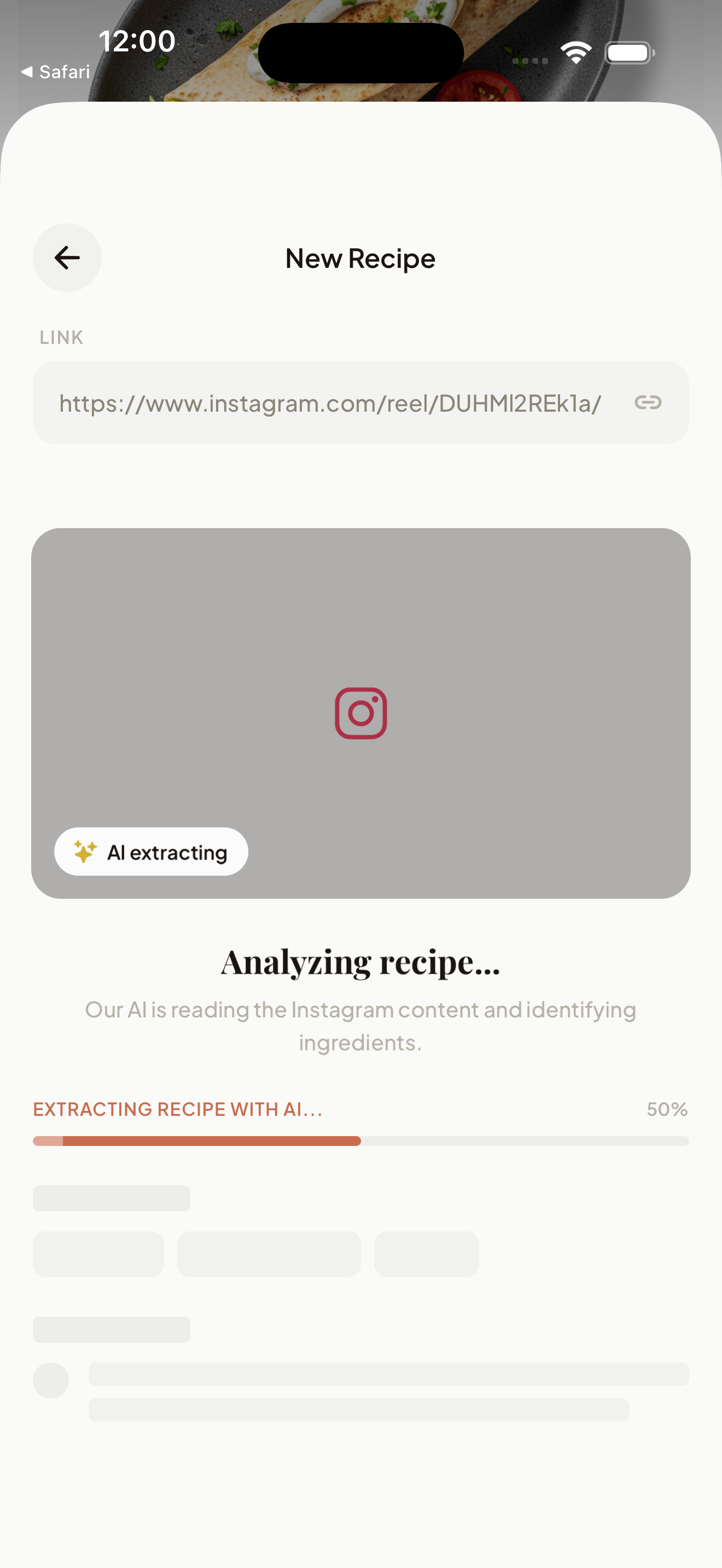
Onboarding & Monetization — Welcome screen, paywall with RevenueCat pricing, and recipe discovery.
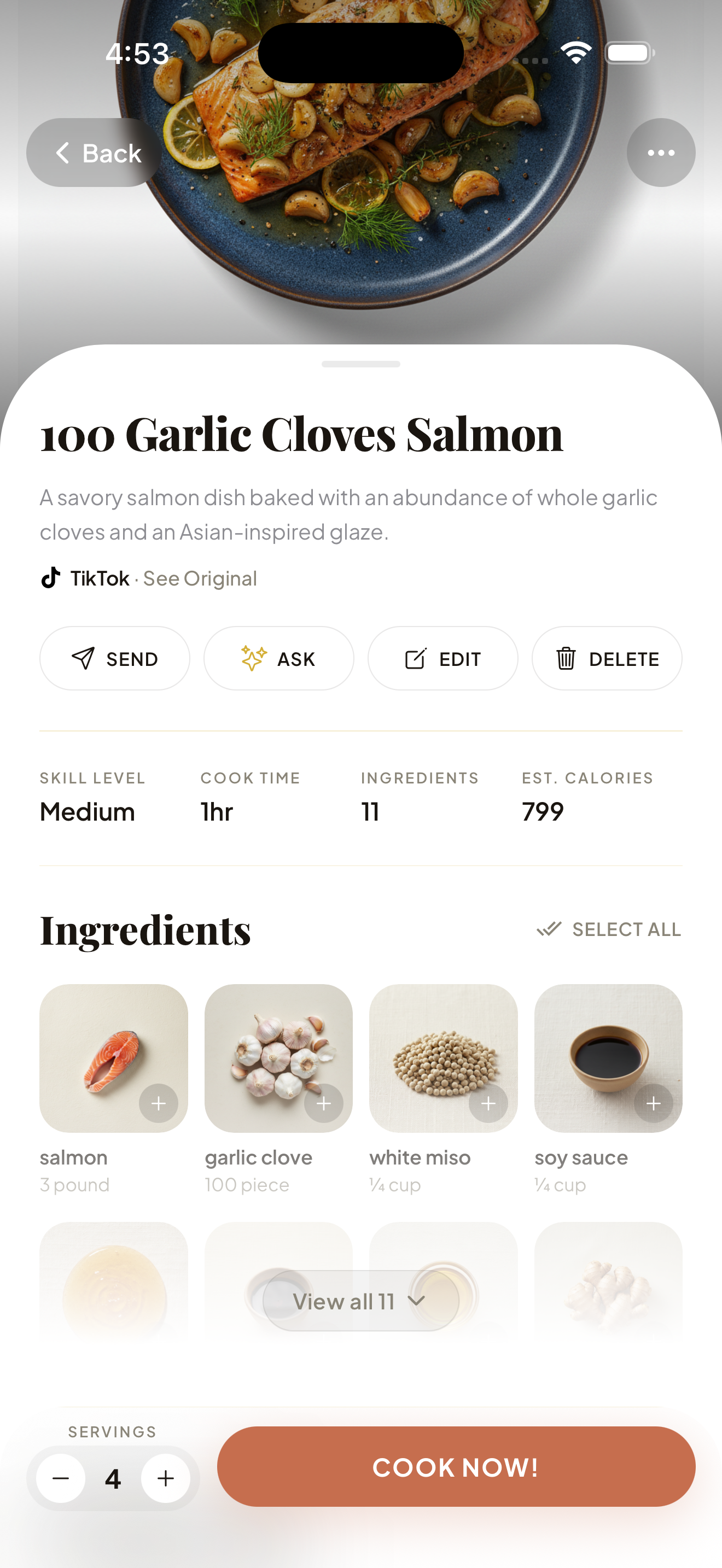
Discover & Cook — From recipe detail to hands-free cooking mode.

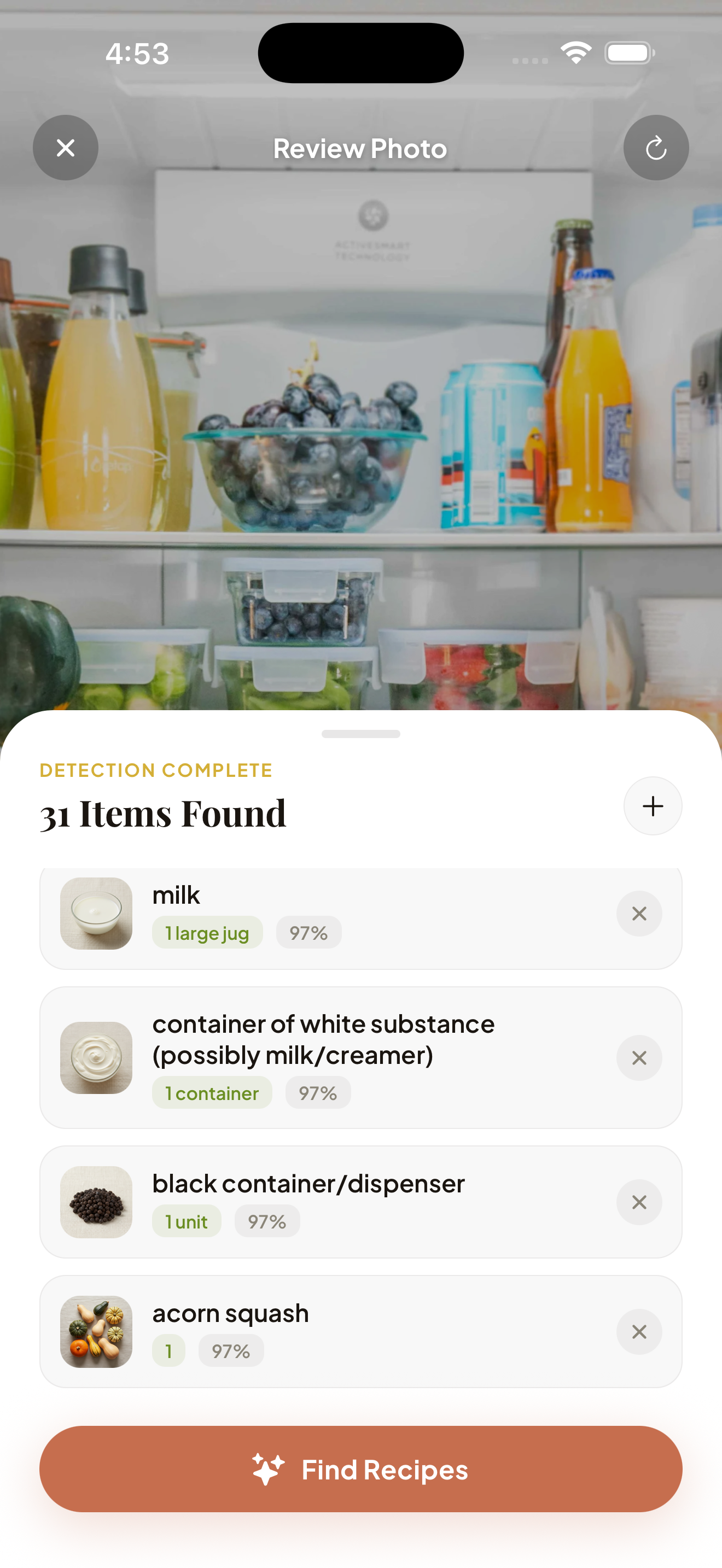
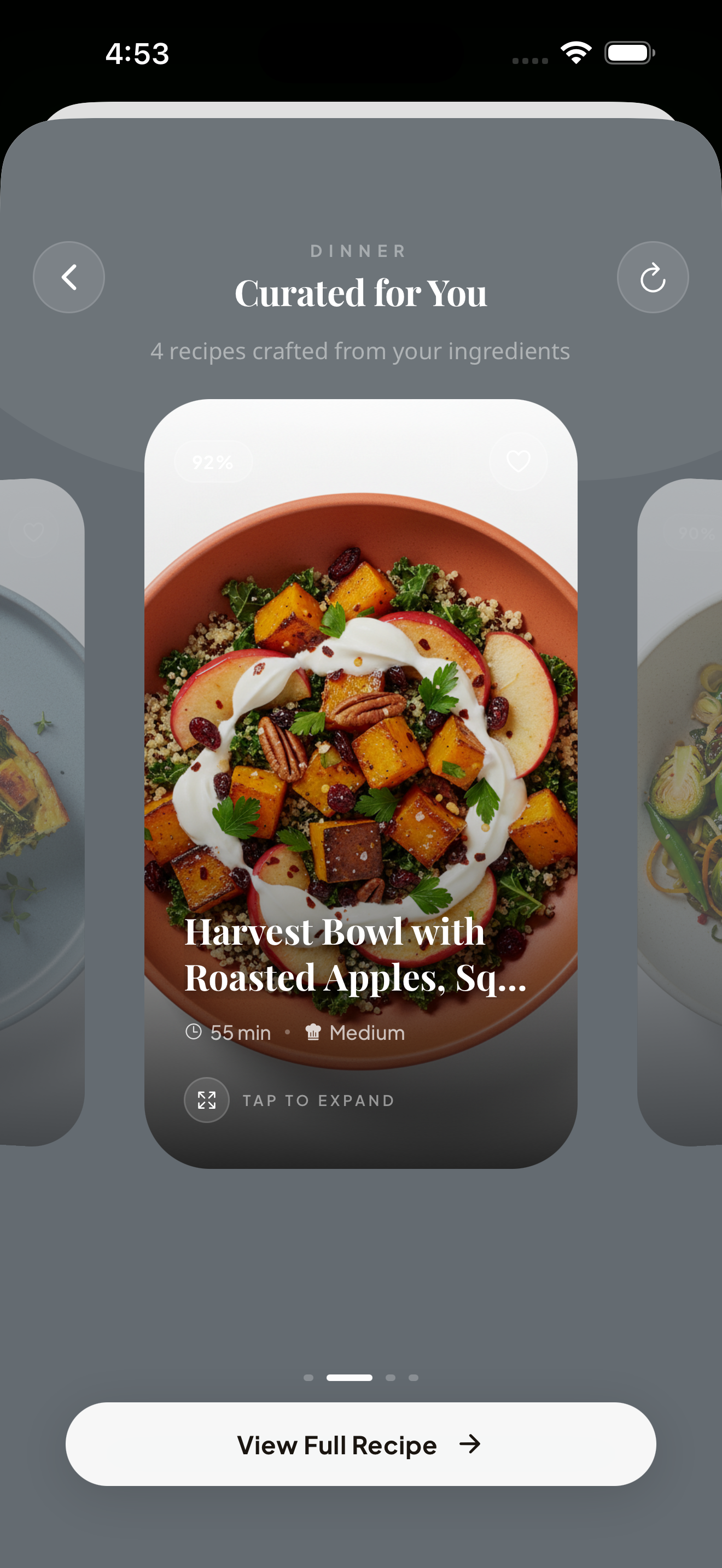
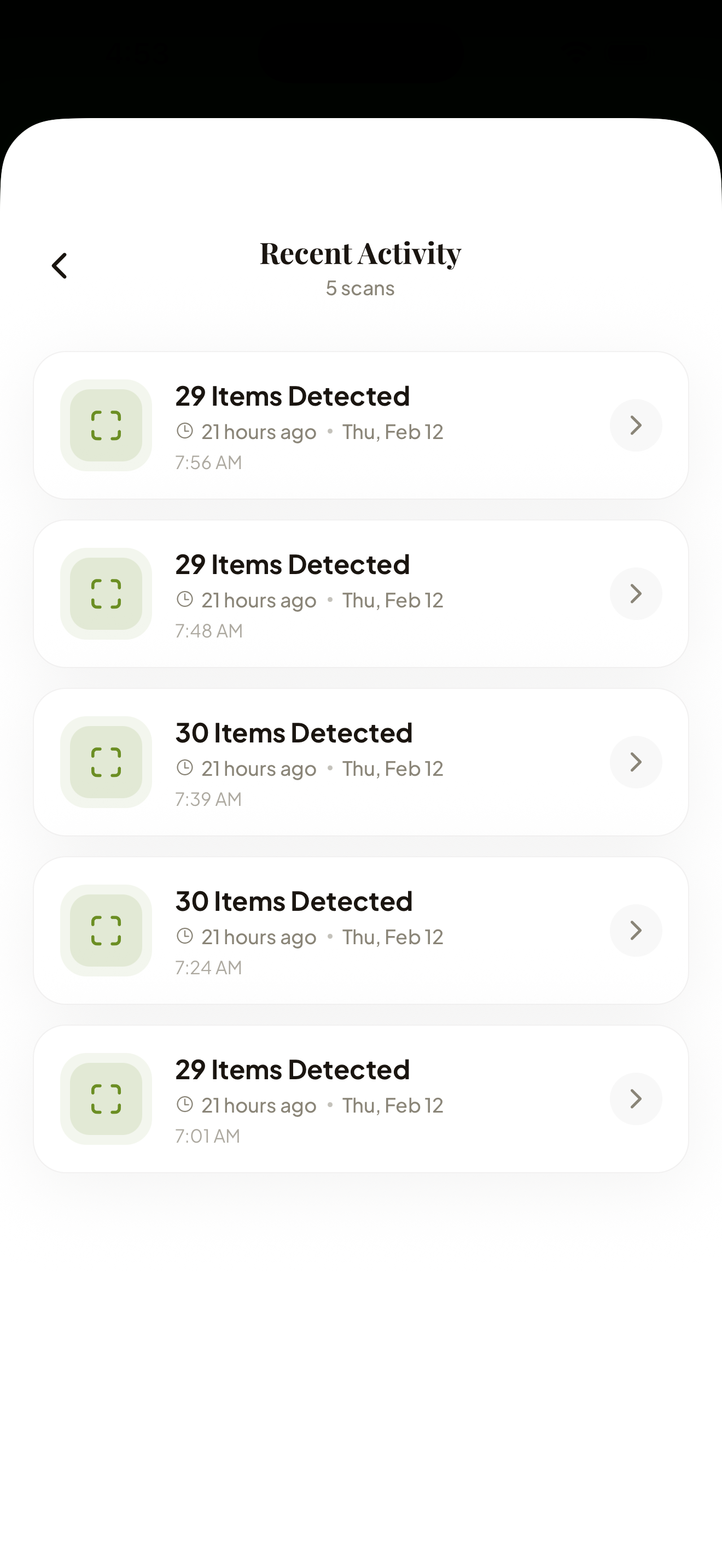
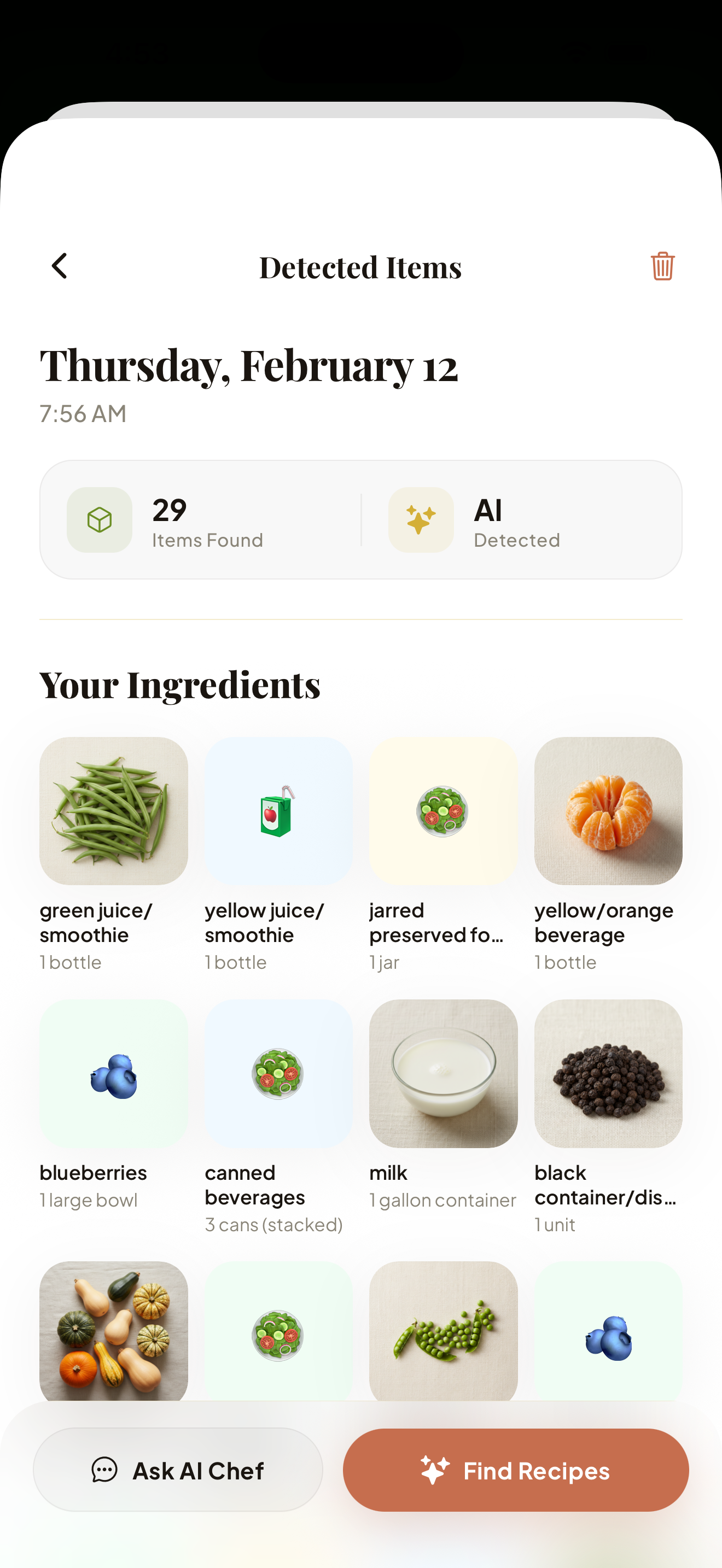
AI Fridge Scan — Scan your fridge, detect ingredients with AI, and get personalized recipe suggestions.
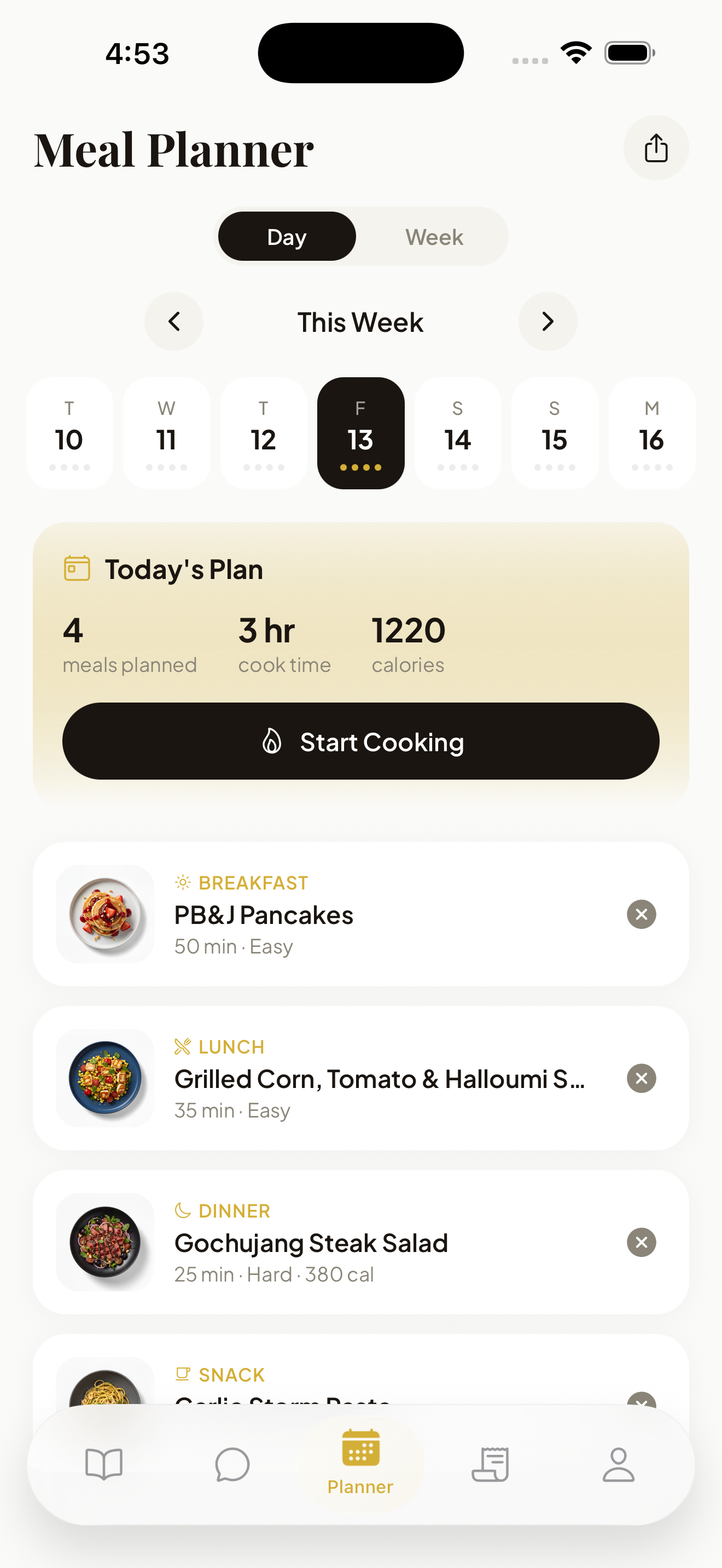
Plan & Share — Meal planning, smart shopping lists, and social recipe sharing.
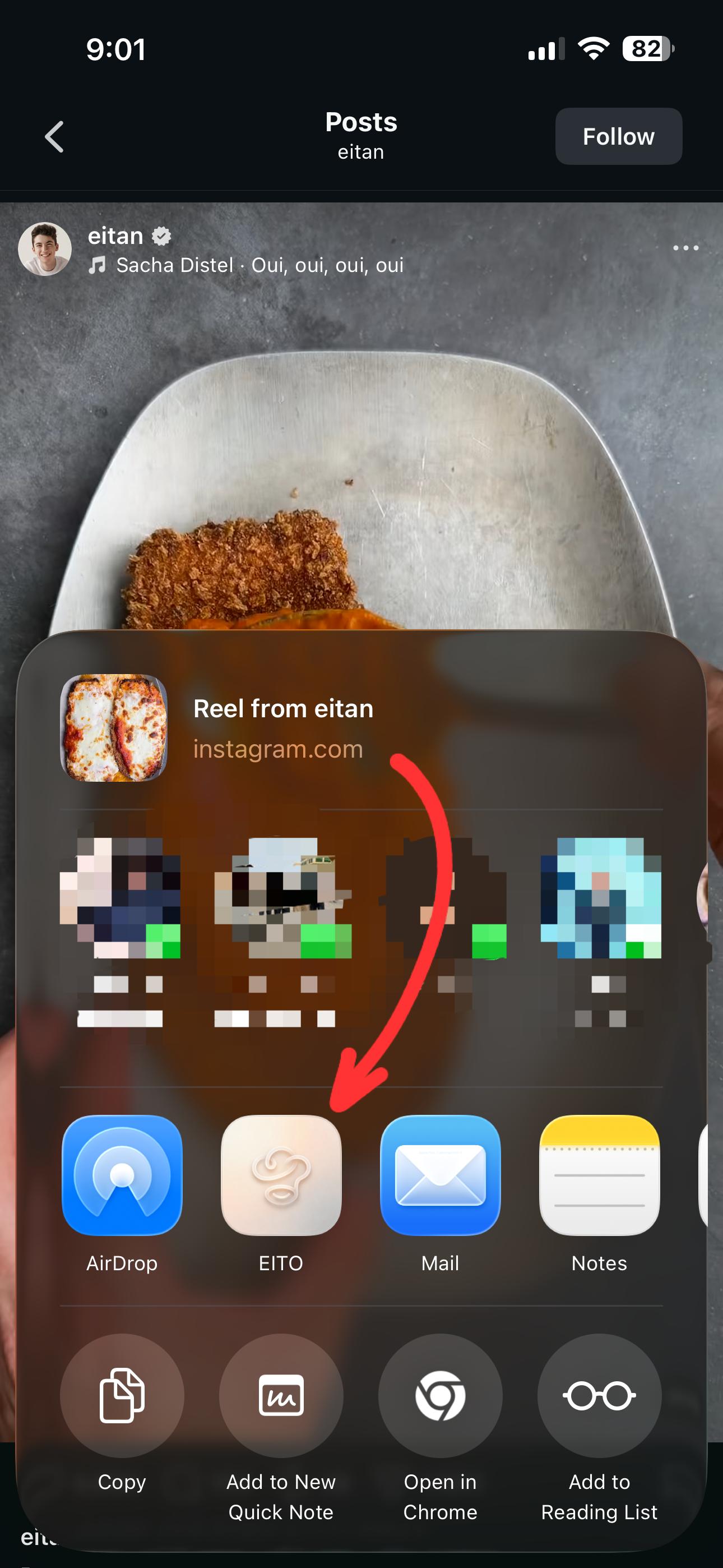
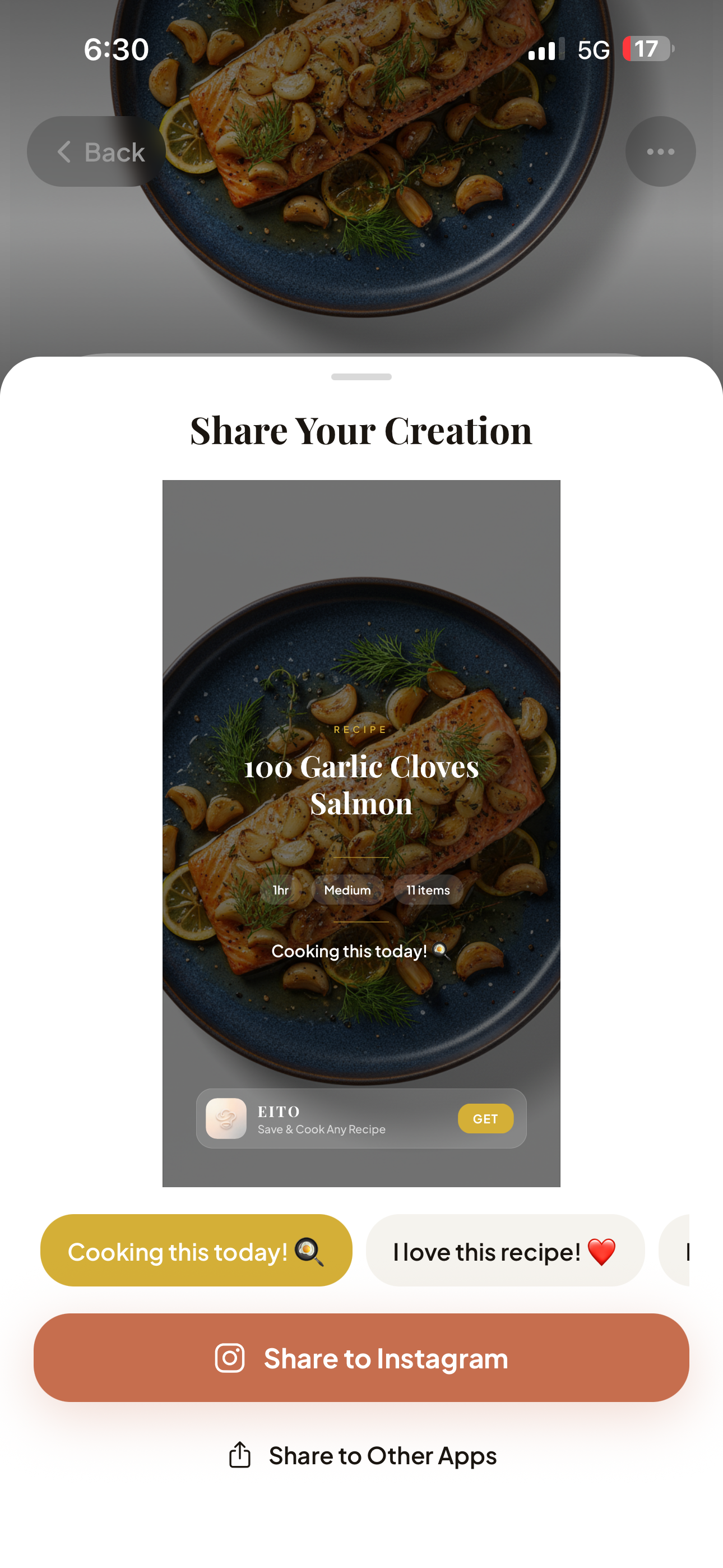
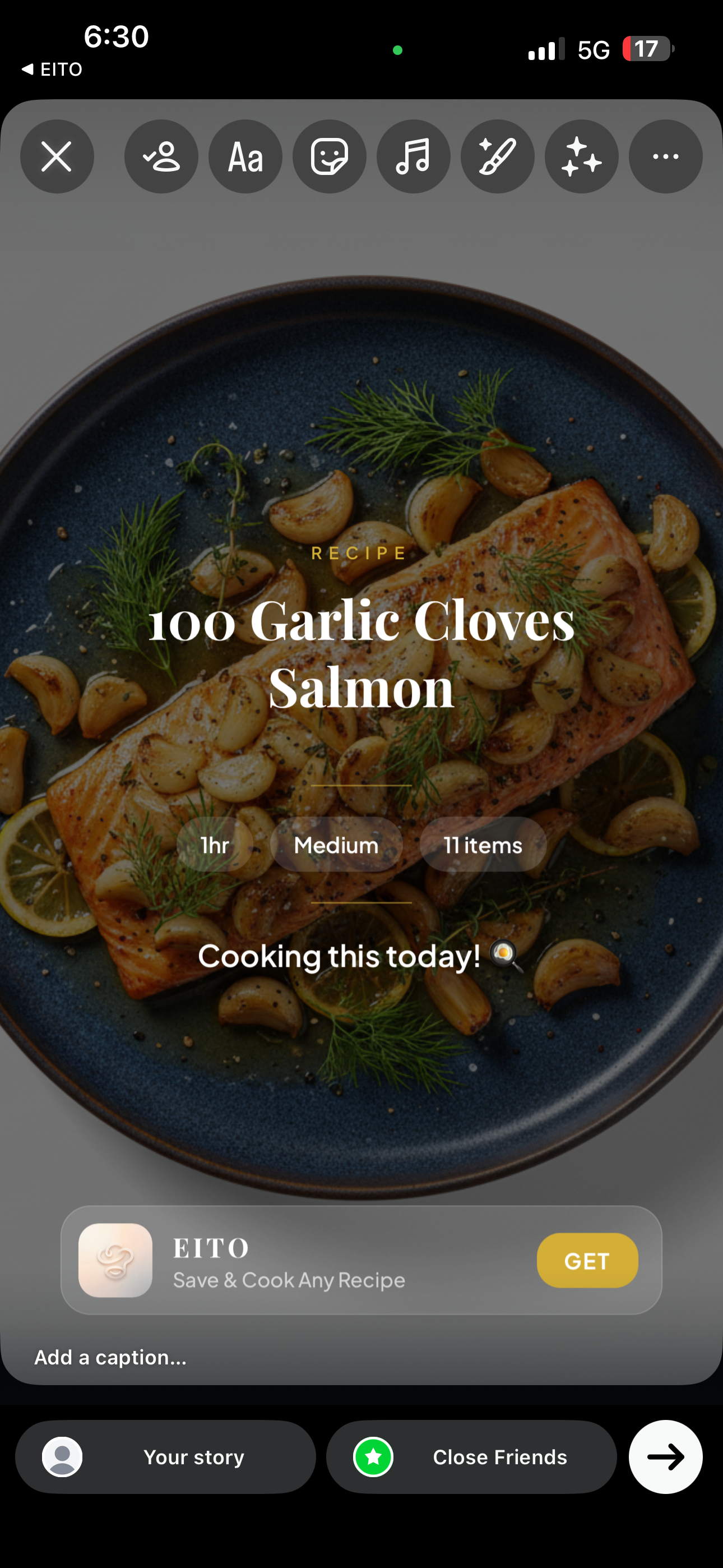
Share & Grow — Auto-generated recipe cards with App Store Smart Banner for organic growth.